Back-office software for painting contractors
Stop guessing whether your jobs actually made money.
Painter's Log runs your whole back office — estimate, schedule, run the job, invoice, get paid — and shows you what every job truly cost, so your next bid gets better.
Free forever plan · No credit card required
The Problem
You finish the job, send the invoice, and hope you made money.
Most painting contractors don't know their real numbers until it's too late — if they ever know them at all. You price by gut, track hours in your head, buy materials without logging them, and find out whether you made or lost money only when tax season hits.
The tools that exist are expensive, built for offices, and require hours of data entry. So most contractors use nothing — and keep guessing.
Most painting businesses price the next job off a gut feel about the last one — never the real numbers. That's how good years quietly turn into thin ones.
“What do I even charge?”
“I can't be on every job at once.”
“I'm waiting on checks while payroll's due.”
“Did this job actually make money?”
Why our number is the real one
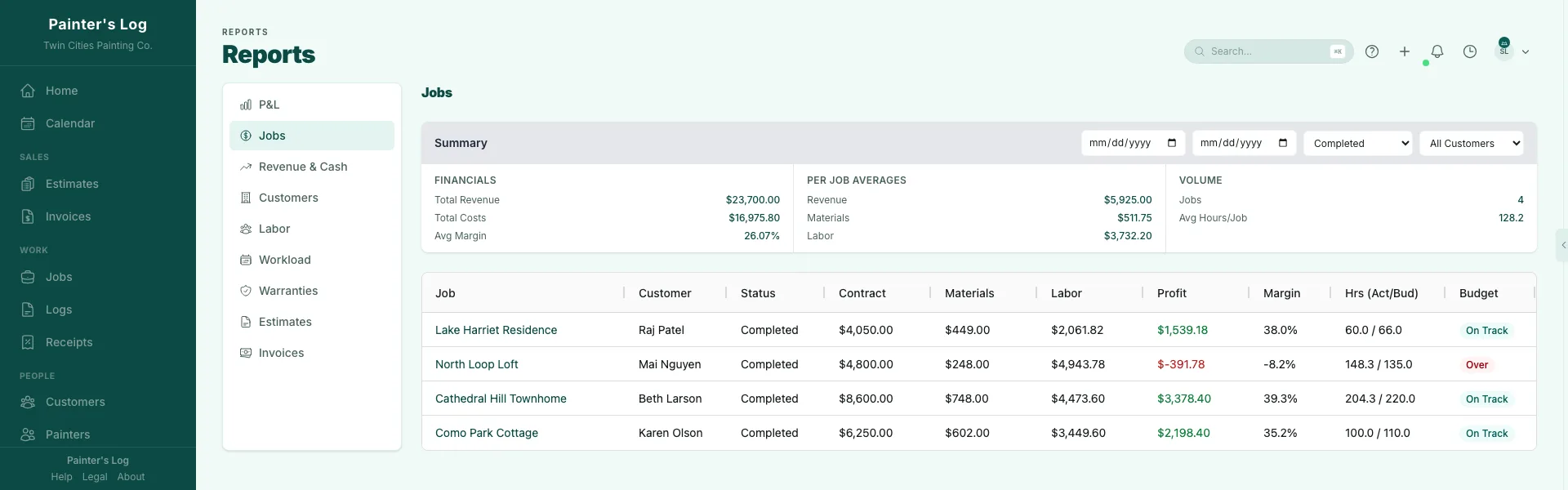
Profit isn't revenue minus wages.
Three things decide whether a margin is real: what an hour truly costs you, whether overtime is figured correctly, and where the hours went when a crew moved between jobs. Painter's Log gets all three right.
Labor burden, built in
Painter's Log applies your true cost per hour — wages plus the payroll taxes, insurance, and overhead you carry — to every job. Real profit, not a flattering guess.
Overtime, calculated correctly
Set your overtime rules once and we do the math — weekly thresholds, the right multiplier, the correct week window in your timezone. The premium shows up as its own line, so it never quietly eats a job's margin.
One day, split across jobs
When a crew's day moves between job sites, the time splits by geofence and the cost follows it pro-rata — overtime premium included. Each job carries exactly its share, not an average.
How It Works
Three things. That's all it takes.
Do these three and the job costing happens by itself — labor, materials, and estimate-vs-actual, with no end-of-day data entry.
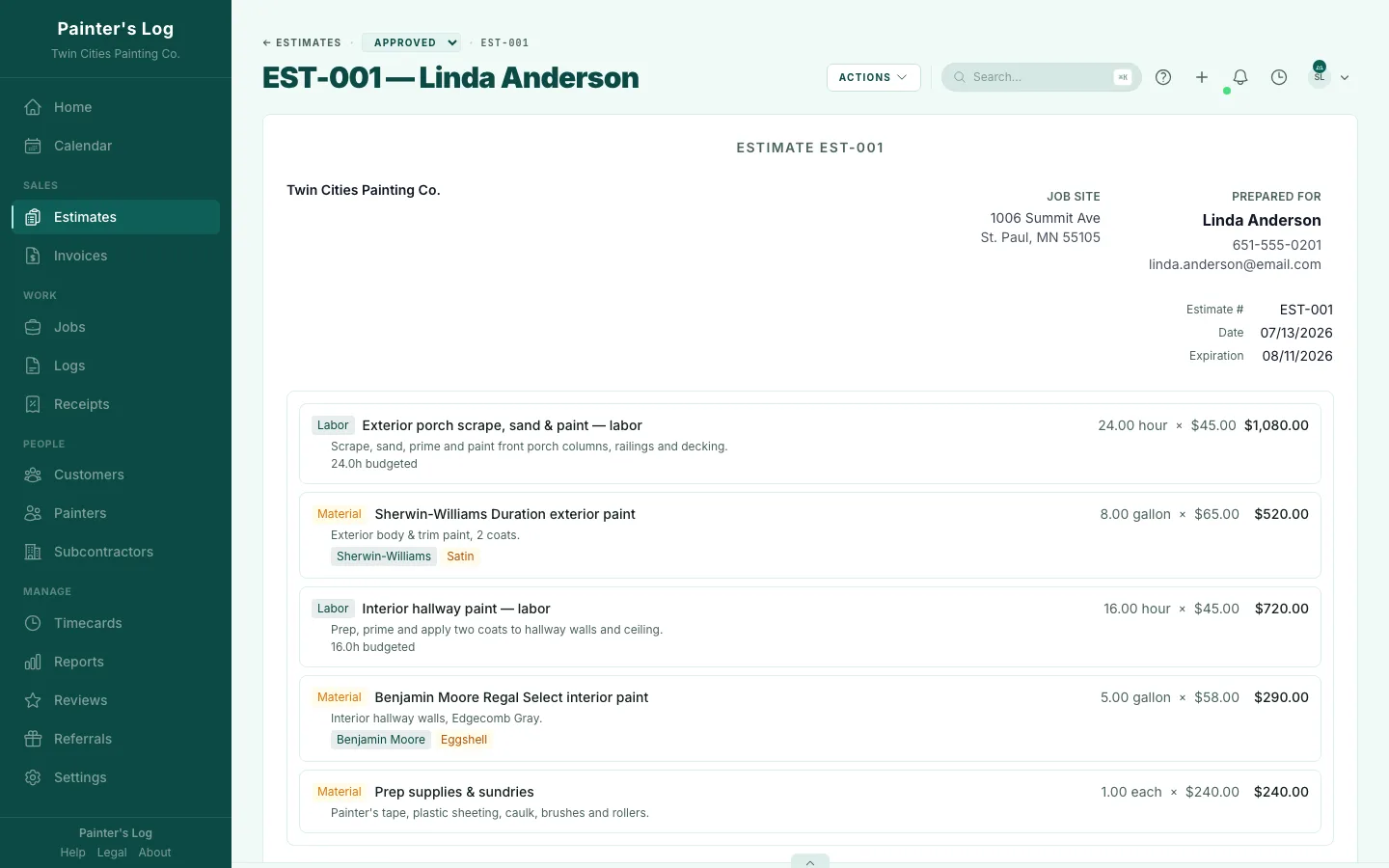
Create or Upload Your Estimate
Build and send professional estimates in Painter's Log — when your customer signs, the estimate becomes the job. Already estimate in another tool? Upload the PDF and it builds the job for you.
Clock In & Out
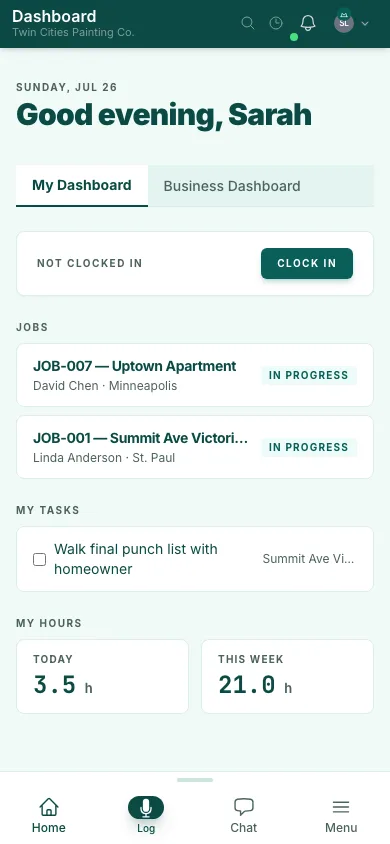
Show up to the job site and the app sees you're there. Clock in with a tap. Your labor hours are tracked against the job, every day.
Snap Your Receipts
Buy paint? Take a photo of the receipt. Painter's Log reads it, pulls the items, costs, and colors, and tags everything to the right job.
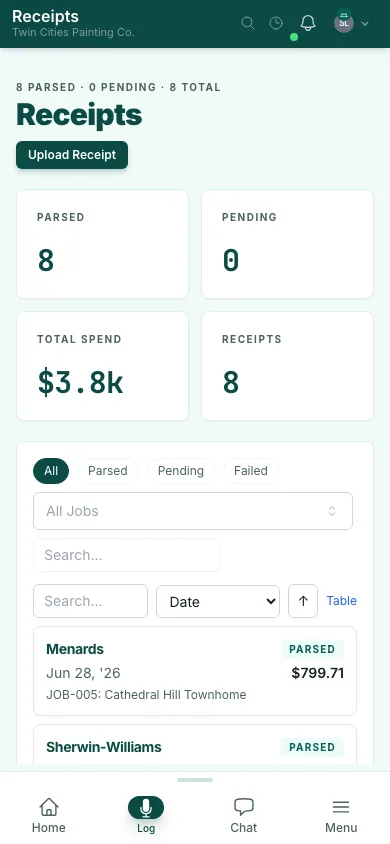
That's enough to get started. You'll see labor as a percentage of the job, materials spend, and your estimate vs. your actual numbers. The more you log — notes, crews, photos — the more it gives back.
One connected lifecycle
From first estimate to final payment
Pricing
Free forever — not a 14-day trial.
Run your whole business on the free plan for as long as you like. We only make money when you do: 1% on payments you collect through Painter's Log while you're free, and 0% once you're on Pro.
The free plan includes every feature — estimates, invoices, AI tools, team management, and reporting — with monthly usage limits. Pro lifts the limits and drops the payment fee to zero.
See PricingQuestions contractors ask
Will my crew actually use it?
They clock in with one tap and log notes by voice. There's no timesheet to fill out and no app to fight with on a ladder.
How long does setup take?
Create a job and start logging the same day. Already have estimates in another tool? Upload the PDF and it builds the job for you.
Is my data safe?
Your data is yours, isolated per business, and preserved if you ever downgrade or cancel.
What if I already use QuickBooks or Jobber?
Painter's Log runs the operational back office around your painting jobs — estimating, scheduling, running the work, invoicing, and job costing. Keep QuickBooks for accounting; use Painter's Log to run the jobs and see what each one actually made. Most contractors run both.
Stop guessing. Start knowing.
Upload your first estimate and see what Painter's Log can do. Free — no credit card required.
Start tracking your next job — free